The Clever Space home screen provides a summary of your organization's Clever Space usage information.
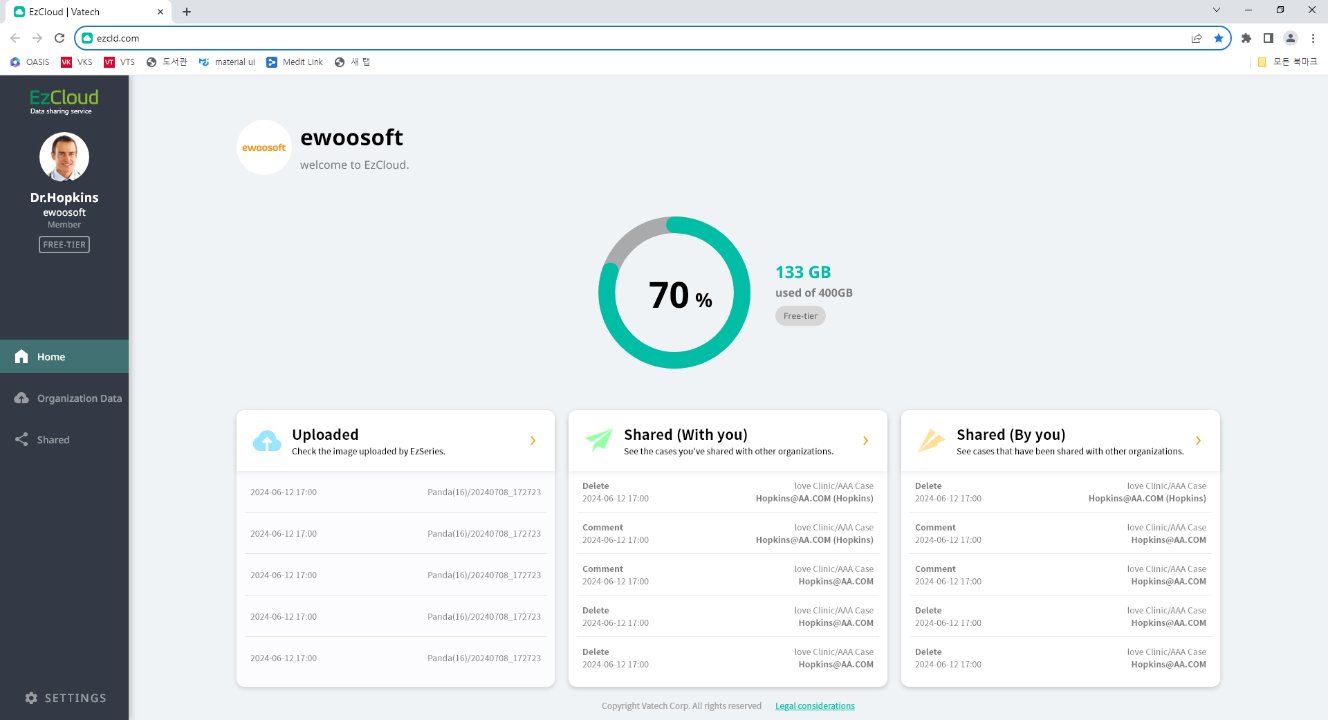
- The capacity of the cloud space provided based on the Clever Space plan in use and the usage capacity of the user's organization.
- Organization Data: Displays the five most recently uploaded images managed by the user's organization.
- Shared(With You) cases: Displays the five most recent cases shared from other organizations.
- Shared(By You) cases: Displays the five most recent cases shared from the user's organization to other organizations.
Organization data, shared cases, and shared cases Click the arrow (>) at the top right of the card to go directly to the corresponding menu.
Was this article helpful?
That’s Great!
Thank you for your feedback
Sorry! We couldn't be helpful
Thank you for your feedback
Feedback sent
We appreciate your effort and will try to fix the article