Here's how to check your sharing history in Clever One.
- Click the [Upload History] icon on the toolbar.

- When the [Upload History] window appears, you can check the current status and history of the data you have shared.
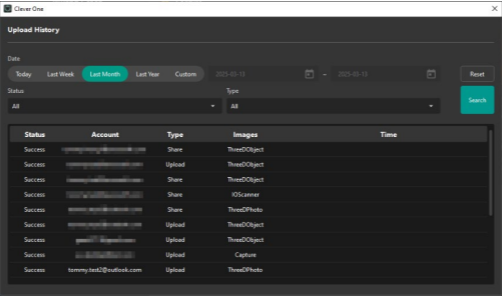
- Status
- Waiting: waiting to upload
- Sending: upload in progress
- Fail: failed to upload
- Success: upload and share request complete
- Time display according to status
- Success: share complete time
- Fail: Final share fail time
- Waiting: share request time
- Sending: share start time
Was this article helpful?
That’s Great!
Thank you for your feedback
Sorry! We couldn't be helpful
Thank you for your feedback
Feedback sent
We appreciate your effort and will try to fix the article