The process for leaving OneID is as follows.
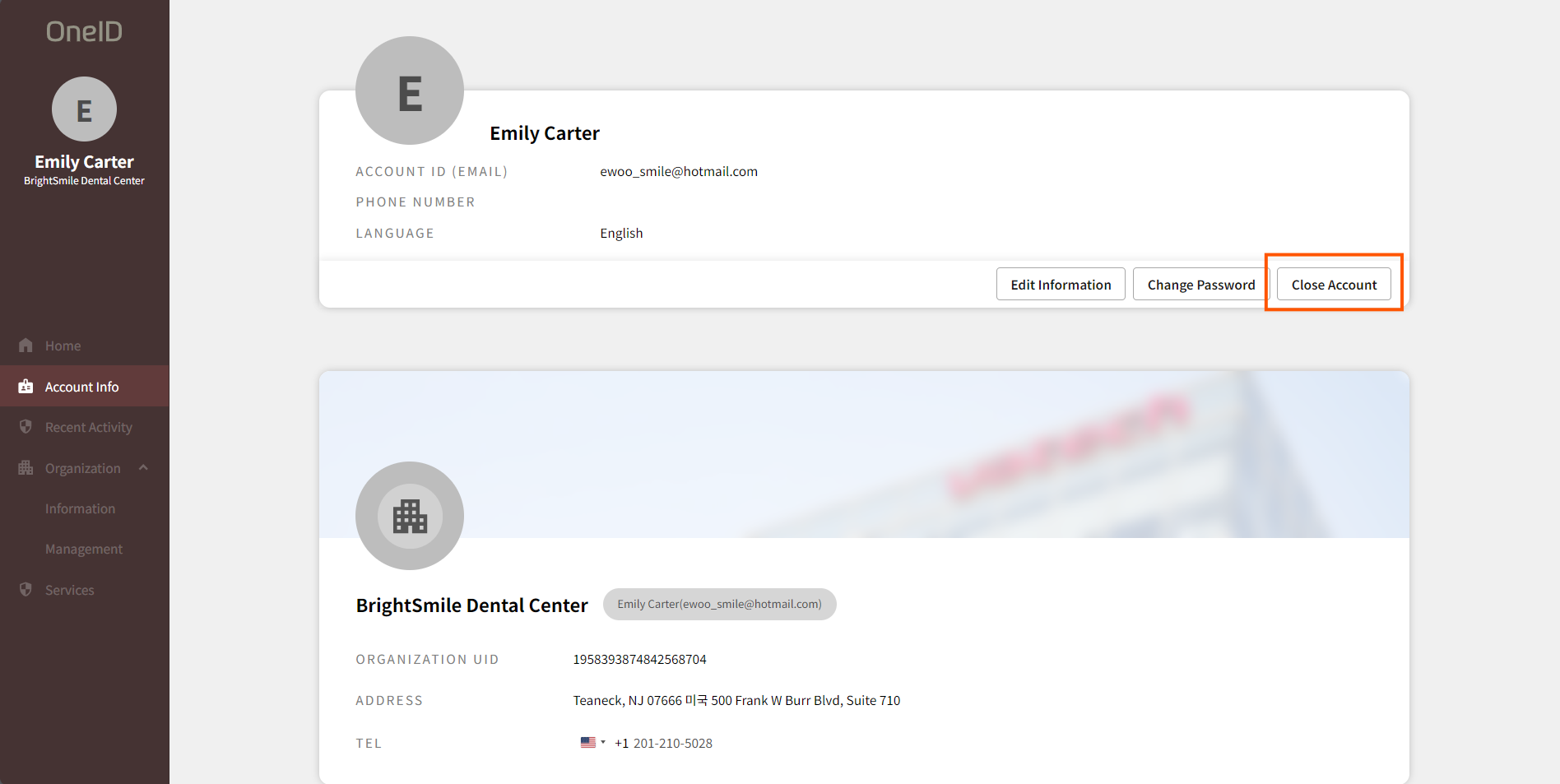
- After logging into OneID, go to the [Account Information] menu and click the [Delete Account] button.
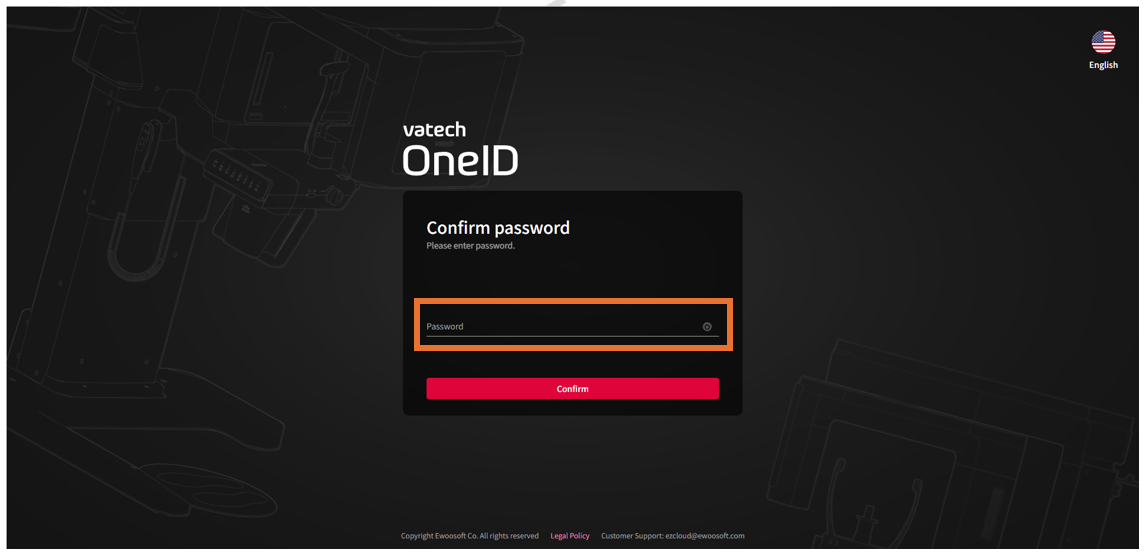
- Enter your password to confirm your account and click the [Next] button.
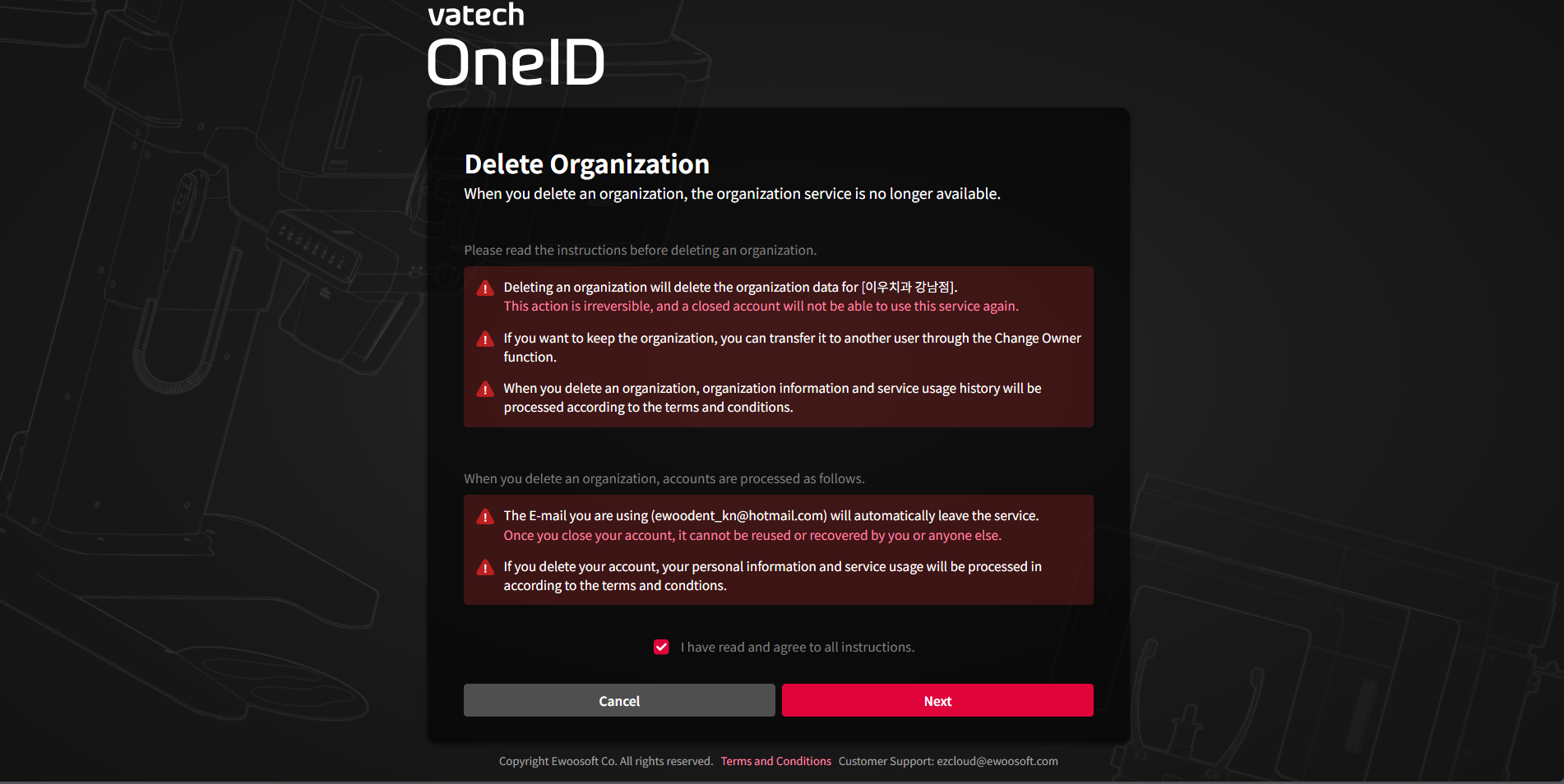
- Review the pre-cancellation notice, agree to the terms, and click the [Next] button.
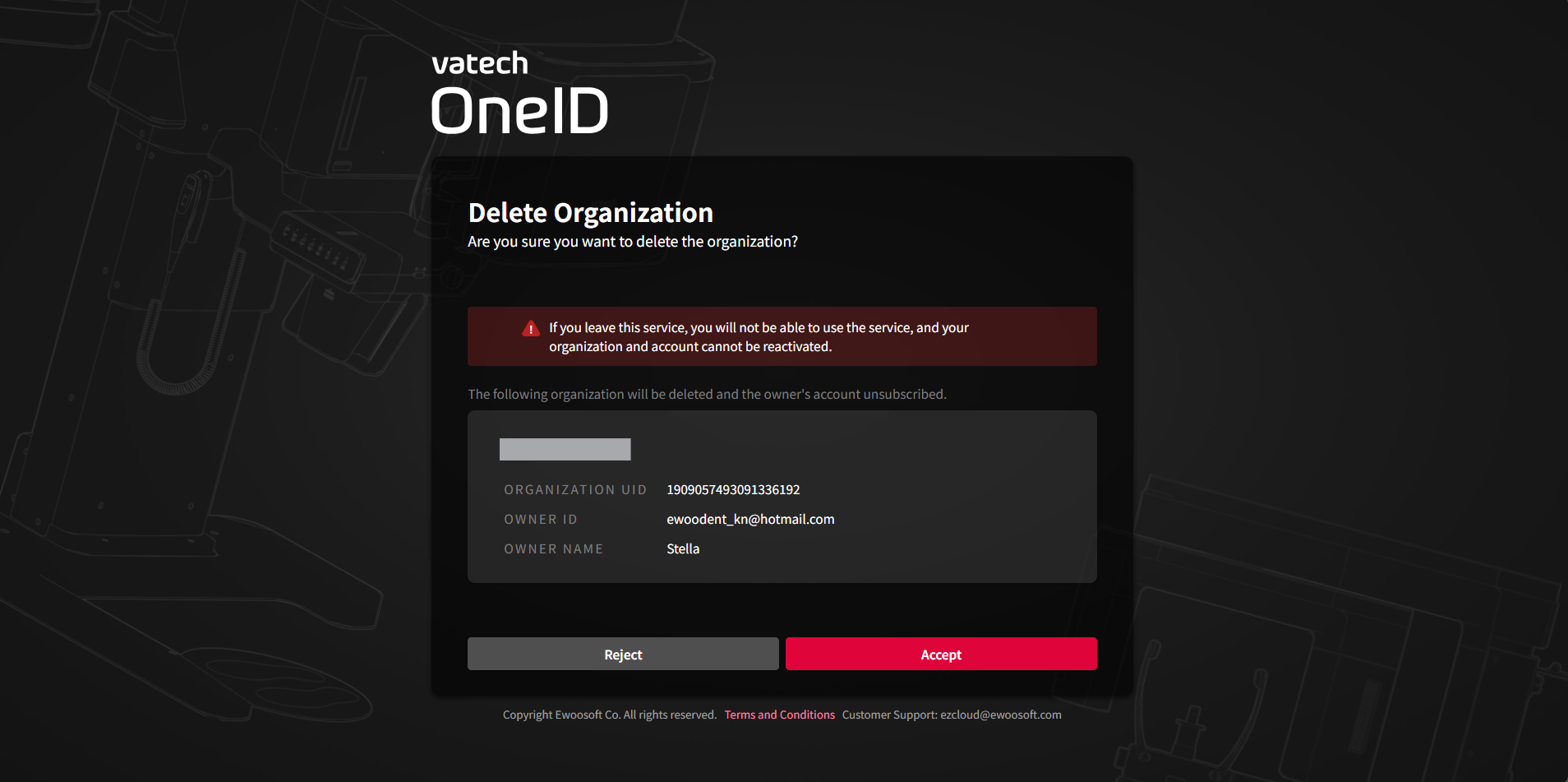
- Confirm the account information you wish to cancel and click the [Accept] button.
- Once you see the cancellation confirmation screen, the cancellation process is complete.
Was this article helpful?
That’s Great!
Thank you for your feedback
Sorry! We couldn't be helpful
Thank you for your feedback
Feedback sent
We appreciate your effort and will try to fix the article