The process for opting out of marketing communications is as follows:
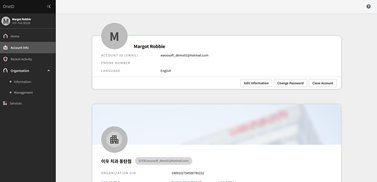
- Log in to OneID, go to [Account Information], and then click [Edit Information].
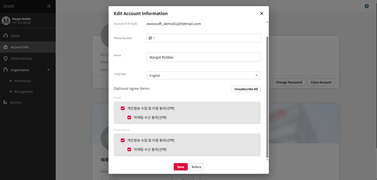
- In the service-specific marketing consent section at the bottom, clear the consent option, and then click [Save]. The change takes effect immediately, and you will no longer receive marketing information from the applicable service.
Was this article helpful?
That’s Great!
Thank you for your feedback
Sorry! We couldn't be helpful
Thank you for your feedback
Feedback sent
We appreciate your effort and will try to fix the article