Follow the steps below to manage users in Clever Space:
- Click [Settings] in the upper-right corner.
- Select the ‘Users’ tab.
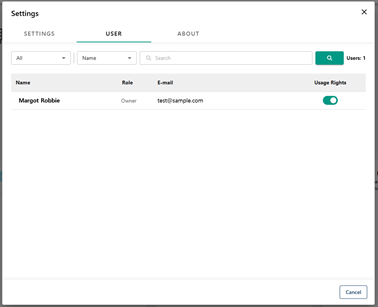
- Disable access permissions for users whose access to the service you want to restrict.
Was this article helpful?
That’s Great!
Thank you for your feedback
Sorry! We couldn't be helpful
Thank you for your feedback
Feedback sent
We appreciate your effort and will try to fix the article