Delete a Patient as follows:
(Only the owner can delete Patients.)
- Click the [Organization Data] menu.
- Select the Patient you want to delete.
- Click [More] next to the Patient name, and then click [Delete].
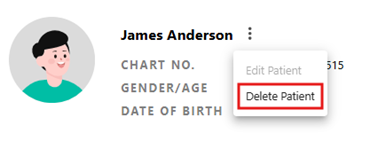
- Click [Yes] in the deletion confirmation warning message.
Was this article helpful?
That’s Great!
Thank you for your feedback
Sorry! We couldn't be helpful
Thank you for your feedback
Feedback sent
We appreciate your effort and will try to fix the article