The account deletion process is as follows:
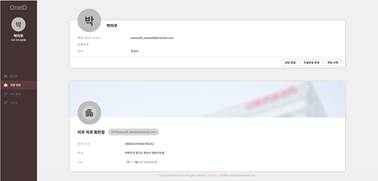
- Log in to OneID, go to [Account Information], and then click [Delete Account].
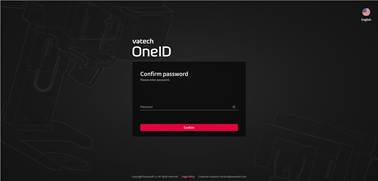
- Enter your password to verify your account, and then click [Next].
- Review and agree to the information provided before account deletion, and then click [Next].

- Review the account information to be deleted, and then click [Agree].

- When the account deletion completion screen appears, your account has been successfully deleted.
If an owner wishes to leave the organization:
- If there are still members in the organization, the owner cannot leave.
- If the owner is subscribed to a paid plan, they must cancel the subscription before leaving.
- The owner can leave by selecting “Delete Organization.
Was this article helpful?
That’s Great!
Thank you for your feedback
Sorry! We couldn't be helpful
Thank you for your feedback
Feedback sent
We appreciate your effort and will try to fix the article